

Table of Contents
ToggleSmart home tech for beginners doesn’t have to feel overwhelming. In fact, turning a regular house into a connected home is easier than most people expect. Smart home technology allows devices to communicate with each other and respond to voice commands, schedules, or automation rules. From smart speakers to connected thermostats, these devices save time, reduce energy bills, and add convenience to daily life.
This guide breaks down the basics of smart home tech for beginners. It covers what smart home technology actually means, which devices make sense for a first setup, and how to avoid common pitfalls along the way.
Key Takeaways
- Smart home tech for beginners starts with choosing one ecosystem (Alexa, Google, or Apple) to ensure device compatibility and simpler control.
- Smart plugs and smart speakers are the easiest entry points, letting you control everyday devices with voice commands or schedules.
- A smart thermostat can reduce heating and cooling costs by 10-15% annually by learning your household patterns.
- Add devices one or two at a time to avoid overwhelm and build confidence before expanding your smart home system.
- Always check device compatibility, use strong passwords, and enable two-factor authentication to keep your smart home secure.
- Simple automations like turning on lights at sunset or locking doors at night help beginners master smart home routines quickly.
What Is Smart Home Technology?
Smart home technology refers to devices that connect to the internet and can be controlled remotely. These devices use Wi-Fi, Bluetooth, Zigbee, or Z-Wave protocols to communicate with each other and with smartphones or voice assistants.
At its core, smart home tech for beginners starts with three components:
- Smart devices: These include lights, plugs, thermostats, locks, and cameras.
- A hub or controller: Some systems require a central hub. Others connect directly to a phone app.
- Voice assistants: Amazon Alexa, Google Assistant, and Apple Siri can control compatible devices through voice commands.
The appeal of smart home technology lies in automation. A smart thermostat learns a household’s schedule and adjusts temperatures automatically. Smart lights can turn on at sunset or respond to motion sensors. These small conveniences add up to meaningful time and energy savings.
For beginners exploring smart home tech, compatibility matters. Not every device works with every voice assistant or hub. Checking compatibility before purchasing prevents frustration later.
Essential Smart Home Devices to Start With
Starting a smart home doesn’t require buying everything at once. The best approach for beginners involves picking a few high-impact devices and building from there.
Smart Speakers and Displays
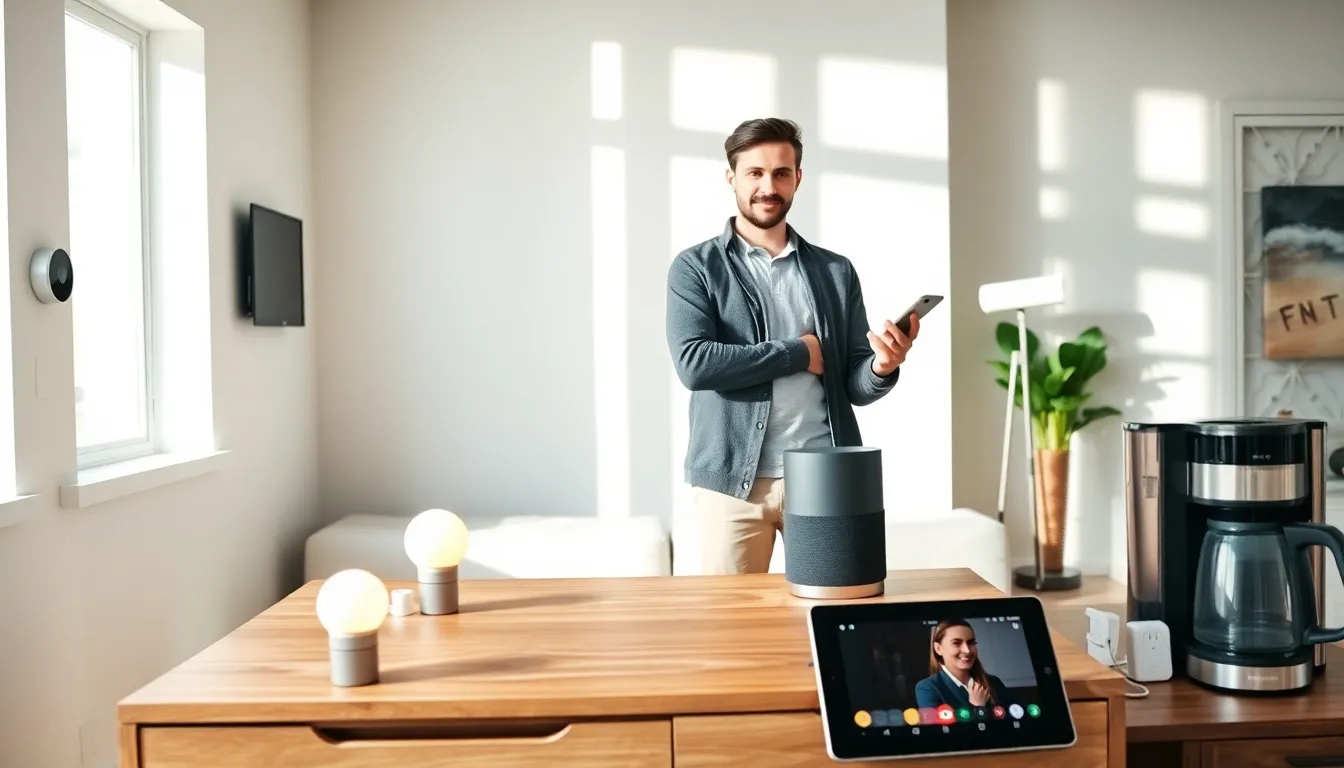
A smart speaker serves as the command center for most smart homes. Amazon Echo, Google Nest, and Apple HomePod devices respond to voice commands and control other connected products. Smart displays add visual feedback, showing camera feeds, calendars, and recipes.
Smart Plugs
Smart plugs offer the easiest entry point into smart home tech for beginners. They turn regular lamps, fans, or coffee makers into connected devices. Plug in a lamp, connect the smart plug to Wi-Fi, and suddenly that lamp responds to voice commands or scheduled timers.
Smart Lights
Smart bulbs and light strips provide instant gratification. Philips Hue, LIFX, and Wyze offer options at various price points. Users can dim lights, change colors, and set schedules, all from a phone or through voice commands.
Smart Thermostats
A smart thermostat like the Nest Learning Thermostat or Ecobee can reduce heating and cooling costs by 10-15% annually. These devices learn household patterns and adjust temperatures based on occupancy and weather conditions.
Smart Doorbells and Cameras
Video doorbells from Ring, Nest, or Eufy let homeowners see who’s at the door from anywhere. Indoor and outdoor cameras add security and peace of mind. Many offer cloud storage, motion detection, and two-way audio.
Beginners should focus on one or two categories first. Mastering those devices builds confidence before expanding the system.
How to Set Up Your First Smart Home System
Setting up smart home tech for beginners follows a predictable pattern. Most devices share similar installation steps.
Step 1: Choose an Ecosystem
The first decision involves picking a primary voice assistant. Amazon Alexa offers the widest device compatibility. Google Assistant integrates well with Android phones and Google services. Apple HomeKit provides tight security but works with fewer third-party devices.
Sticking to one ecosystem simplifies control and reduces compatibility headaches.
Step 2: Set Up the Hub or Smart Speaker
Download the companion app (Amazon Alexa, Google Home, or Apple Home). Create an account and follow the prompts to connect the speaker or hub to Wi-Fi. This device becomes the central controller for everything else.
Step 3: Add Devices One at a Time
Each new device requires its own setup process:
- Plug in or install the device
- Download the device’s app (if required)
- Follow in-app instructions to connect to Wi-Fi
- Link the device to the main voice assistant app
Most smart home devices use a “pairing mode” that broadcasts a temporary network. The phone connects to that network, transfers Wi-Fi credentials, and completes the setup.
Step 4: Create Automations and Routines
Once devices are connected, the real power of smart home tech emerges. Routines combine multiple actions into single commands. A “Good Morning” routine might turn on lights, read the weather, and start the coffee maker, all triggered by one phrase.
Start with simple automations. Turn on porch lights at sunset. Lock the front door at 10 PM. These basic routines build familiarity with automation logic.
Common Mistakes to Avoid as a Beginner
Smart home tech for beginners comes with a learning curve. Avoiding these common mistakes saves time, money, and frustration.
Buying Incompatible Devices
Not all smart devices work together. A Zigbee light bulb won’t connect to a system that only supports Wi-Fi devices. Before purchasing, check that new devices support the chosen ecosystem (Alexa, Google, or HomeKit).
Overloading the Wi-Fi Network
Smart devices share bandwidth with phones, laptops, and streaming services. Too many devices on a weak network causes slow response times and disconnections. Upgrading to a mesh Wi-Fi system helps larger homes maintain stable connections.
Skipping Software Updates
Manufacturers release firmware updates to fix bugs and patch security vulnerabilities. Ignoring updates leaves devices exposed to potential hacks. Enable automatic updates when possible.
Ignoring Security Best Practices
Smart home devices can become entry points for hackers if not secured properly. Strong, unique passwords for each account reduce risk. Two-factor authentication adds another layer of protection. Regularly reviewing which devices have network access helps identify anything suspicious.
Going Too Big Too Fast
Buying every smart device at once leads to overwhelm. A better approach involves adding one or two devices at a time. Learn how each works before introducing more complexity. Patience pays off with a more stable, well-understood system.


